During a meeting you’re doing two things at once: actively hearing what the speaker has to say and writing detailed notes in real-time for future reference. But it’s hard to do both well. You may miss an essential point when you write something down or be unable to catch an important detail.
That’s where AI meeting assistants enter. They listen to your calls, take voice notes, and save them all for later use. It is a cloud-based solution equipped with intelligent features to help summarize meetings, highlight key points, and generate tasks quickly.
With my team, I have extensively tested different types of AI meeting assistants, and in my view, these five are the best AI meeting assistants on my list.
What Makes the Best AI Note-Taker for Meetings?
AI meeting assistants have no intention of replacing your video conferencing software; they augment it. Whether you use Zoom, Google Meet or Microsoft Teams, these tools allow you to track discussions in one place, accurately recall quotes and share meeting notes with your team.
The key all these apps have in common — is transcription, text that turned your meeting audio into, which makes it easy to search through. But each app puts its own twist on things — with summaries or analytics or organizational tools aimed at boosting productivity.
Here’s what I thought about while testing AI meeting assistants:
- Easy to set up: The best apps integrate comfortably with your calendar and conferencing tools and, at least, work with, say, Zoom and Google Meet.
- AI capabilities: I appraised the quality of transcription and additional AI-powered tools, such as summarization, insight extraction and sentiment analysis.
- Automation & productivity: I focused on apps that save time, such as those that automatically join meetings or assist with agendas.
- Organization & Collaboration: Good meetings have to be organized and shareable so that teams can be on the same page.
- Integrations: The more, the better — whether it’s sending notes to a CRM, task manager or Slack.
For two weeks, I applied these apps to meetings with clients and evaluated each tool’s dashboard for transcription accuracy, sharing options and integrations.
Do You Need an AI Meeting Assistant?
It depends. And if your video conferencing tool already includes transcriptions, summaries, and action items, you probably don’t need another AI assistant — especially if it’s going to require another subscription.
Now all major platforms come with built-in AI capabilities:
- Zoom offers transcription, smart chapters, and summaries on its lowest-paid plan, which may suffice if you don’t need advanced analytics.
- Meeting notes driven by AI capabilities integrated into company data will be available on Microsoft Teams only when you have the Copilot Pro Business Add-on.
- Other video conferencing services, including Google Meet, have transcription available only in their Gemini Enterprise plan and lack robust search and other advanced features.
So, do you really need an AI meeting assistant? Yes, if:
- You hold meetings on a variety of platforms and require a single record.
- You require advanced analytics, AI-generated insights, or flexible customization.
- You want a free alternative to paid conferencing tools on a budget.
Best AI Meeting Assistants Glance
- Fireflies: Best for Collaboration & Topic Tracking
- Avoma: Best Conversation Analytics
- Krisp: Best Noise Reduction
- tl;dv: Best Overall AI-Powered Meeting Search Tool
- Otter: Best for AI-Based Meeting Q&A
Best AI Meeting Assistants For 2025
1. Fireflies: Best for Collaboration & Topic Tracking
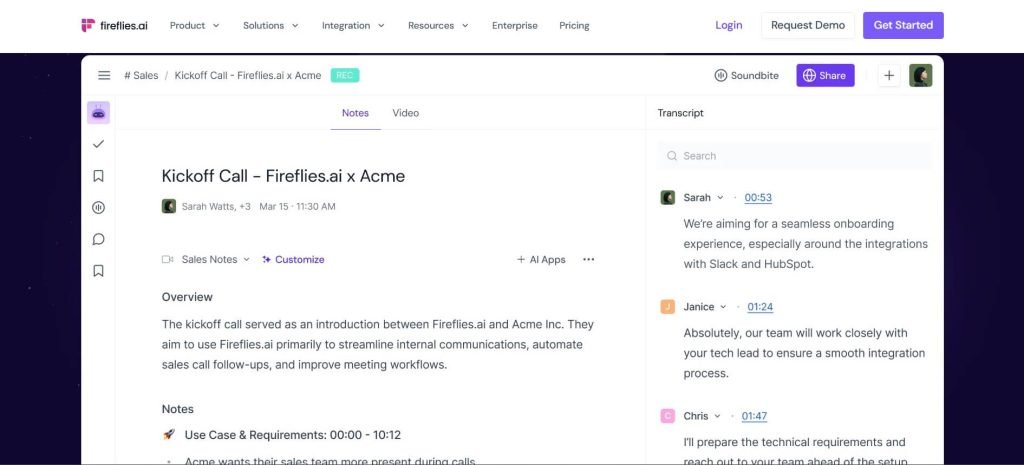
If you have a slew of meetings every week, Fireflies can help you organize. Its AI features allow you to tag meetings by topic, project, or team so you can see a breakdown of your week in a more organized way.
Fireflies transcribe everything and assign speakers when you identify them. After the meeting, it extracts:
- Dates, times, numbers, tasks, and questions that are easy to filter.
- Identifying positive, negative, and neutral portions using sentiment analysis.
- Speaker stats like word-per-minute rates and talk percentages.
- Topics, allowing you to customize and filter sorting.
An audio soundbite—you know, like the meeting footage you can share. Fireflies also connect with HubSpot, Salesforce, Slack, and Dropbox.
Pros:
- AI-enabled assistant (AskFred)
- Auto-generated meeting recaps
Cons:
- Cluttered interface
Pricing: Free (unlimited transcription, ~800 mins storage) / Paid from $18/user/month
2. Avoma: Best Conversation Analytics
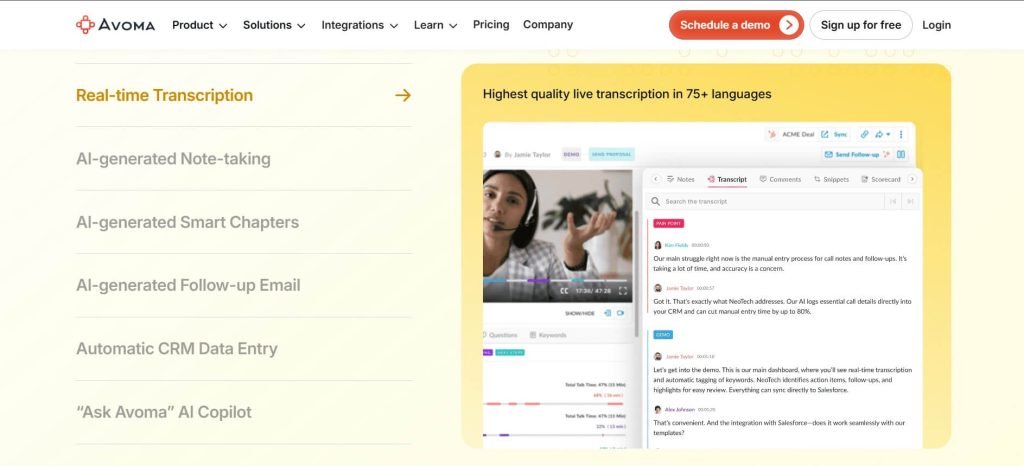
Transcriptions don’t improve decision-making—it’s Avoma that helps you analyze them. Great for sales calls, UX interviews, or internal meetings, Avoma offers:
- A dashboard tracking total conversations and median meetings by user.
- Tracking filler words, knocking out “uh”s and “um”s.
- Monologue tracking — monitoring periods of interaction, and when they drop.
- Insights from your talk-to-listen ratio to converse more with the customer.
- Monitor competitors and review deal results based on mentions.
- Trend tracking for more effective future meetings.
With coaching tools and integrations with CRMs (Salesforce, HubSpot, Copper, Pipedrive), Avoma is among the top tools for customer-facing teams.
Pros:
- Great for coaching a sales team
- User-friendly interface
Cons:
Expensive
Pricing: Starts from $19/user/month for the AI Meeting Assistant plan
3. Krisp: Best Noise Reduction
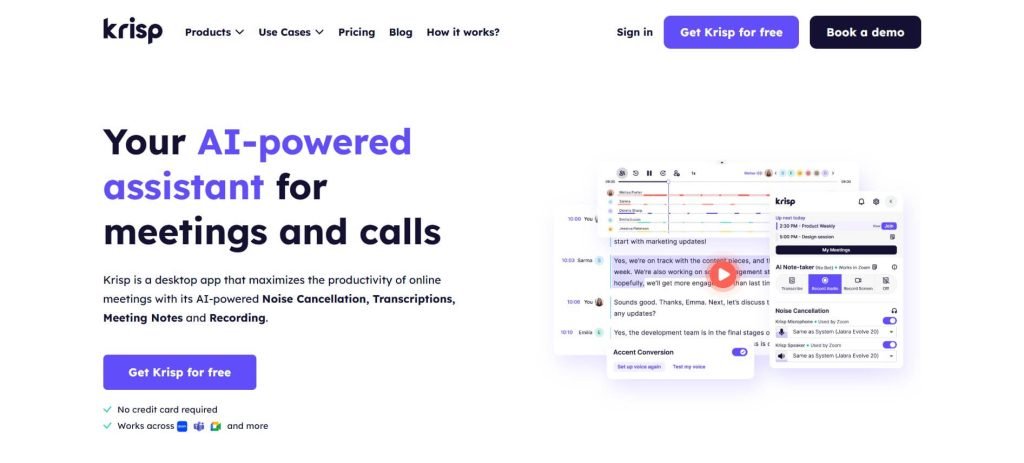
The problem is, that meetings can be troubled with background noise. Krisp uses AI to enhance audio quality and remove distractions while offering transcription features.
Once you install Krisp, you choose it as your audio source in Zoom or Meet. Unlike bot-based solutions, Krisp runs everything locally which avoids lag.
Pros:
- Clarity of real-time accent localization
- No bots required
Cons:
- May modify tone, based on hardware
Pricing: Free for 60 minutes of noise cancellation per day; Pro from $8/user/month
4. tl;dv: Best Overall AI-Powered Meeting Search Tool
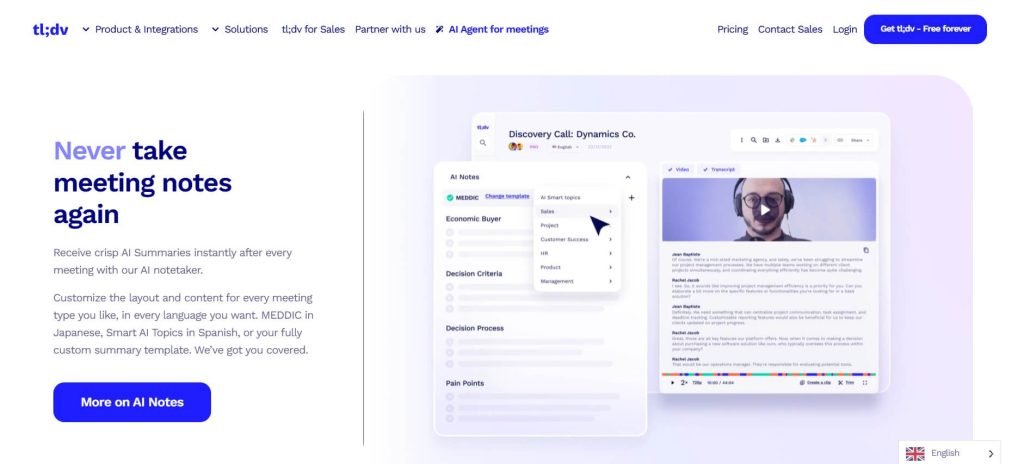
No one likes listening to long meeting recordings. tl;dv helps by:
- Auto summarization of key insights from several meetings.
- Providing strong AI search to find pertinent conversations.
- Permit you to make timestamped notes manually.
- Making it easy to share short video clips of memorable moments.
tl;dv integrates withnNotion, HubSpot, Salesforce, and Slack to facilitate collaboration.
Pros:
- Generous free plan
- Low on system requirements
Cons:
- Sometimes fails to join calls when the servers are overloaded
Pricing: Unlimited Zoom & Meet transcription for free (Pro starts from $25/recording user/month)
5. Otter: Best for AI-Based Meeting Q&A
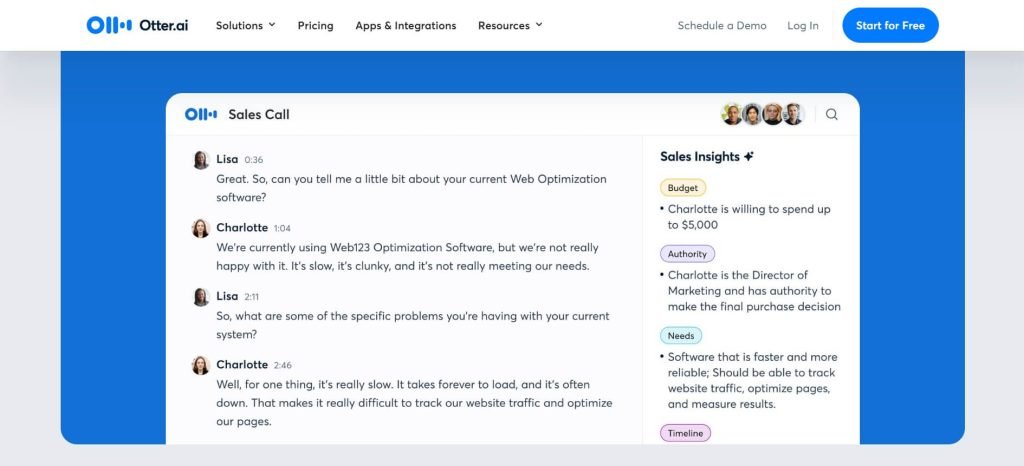
Otter’s AI Chat allows you in seconds to see whether or not you were mentioned in a meeting or if you were assigned any tasks to do. It is also helpful if you missed half the conversation.
I lined it up with meeting-related questions, and it too gave me ChatGPT-like responses that generated useful ideas and insights.
Otter also supports:
- Collaborate in a workspace with team mentions.
- Integration with Slack for posting key takeaways.
- Search feature is also useful for searching past conversations across the entire account.
Pros:
- Separation of workspaces for divergent teams
- Supports transcribing uploaded audio/video files
Cons:
- Has trouble with technical terms
Pricing: Free plan (300 min/month) | Pro (16.99$/user/month)
Wrap-Up On Best AI Meeting Assistants
AI meeting assistants transform meetings into knowledge that can be searched and consumed, boosting productivity. This saves on large meeting attendance, as the main points can be disseminated later.
If you want to increase productivity, reduce note-taking, and get more out of your meetings, these AI tools are worth a try.
Best 5 AI Meeting Assistants: An Overview
| Tool Name | Features | Best For | Pricing |
| Fireflies | AI features allow you to tag meetings by topic, project, or team | Best for Collaboration & Topic Tracking | Free plan available with unlimited transcription, ~800 mins storage; paid plan from $18/user/month |
| Avoma | User-friendly interface and Monitor competitors and review deal results | Best Conversation Analytics | Paid plan from $19/user/month |
| Krisp | Krisp uses AI to enhance audio quality and remove distractions | Best Noise Reduction | Free plan available for 60 minutes; paid plan from $8/user/month |
| tl;dv | Auto summarization of key insights from several meetings. | Best Overall AI-Powered Meeting Search Tool | Free plan available for unlimited Zoom & Meet transcription; paid plan from $25/recording user/month |
| Otter | Collaborate in a workspace with team mentions | Best for AI-Based Meeting Q&A | Free plan available for 300 min/month; paid plan from 16.99$/user/month |
Read More: